

添加自定义电子邮件收件人
你希望每封新员工邮件都抄送行政收件箱。自定义电子邮件收件人以名称和地址添加,通过发到该收件箱的链接完成验证,然后就可以在步骤上使用。
- 你是管理员或所有者。
- 有人能在 24 小时内打开该收件箱确认验证链接。
-
在 Pyn 中,打开左侧导航中的 Settings,然后选择 General 下的 Custom Email Recipients。
-
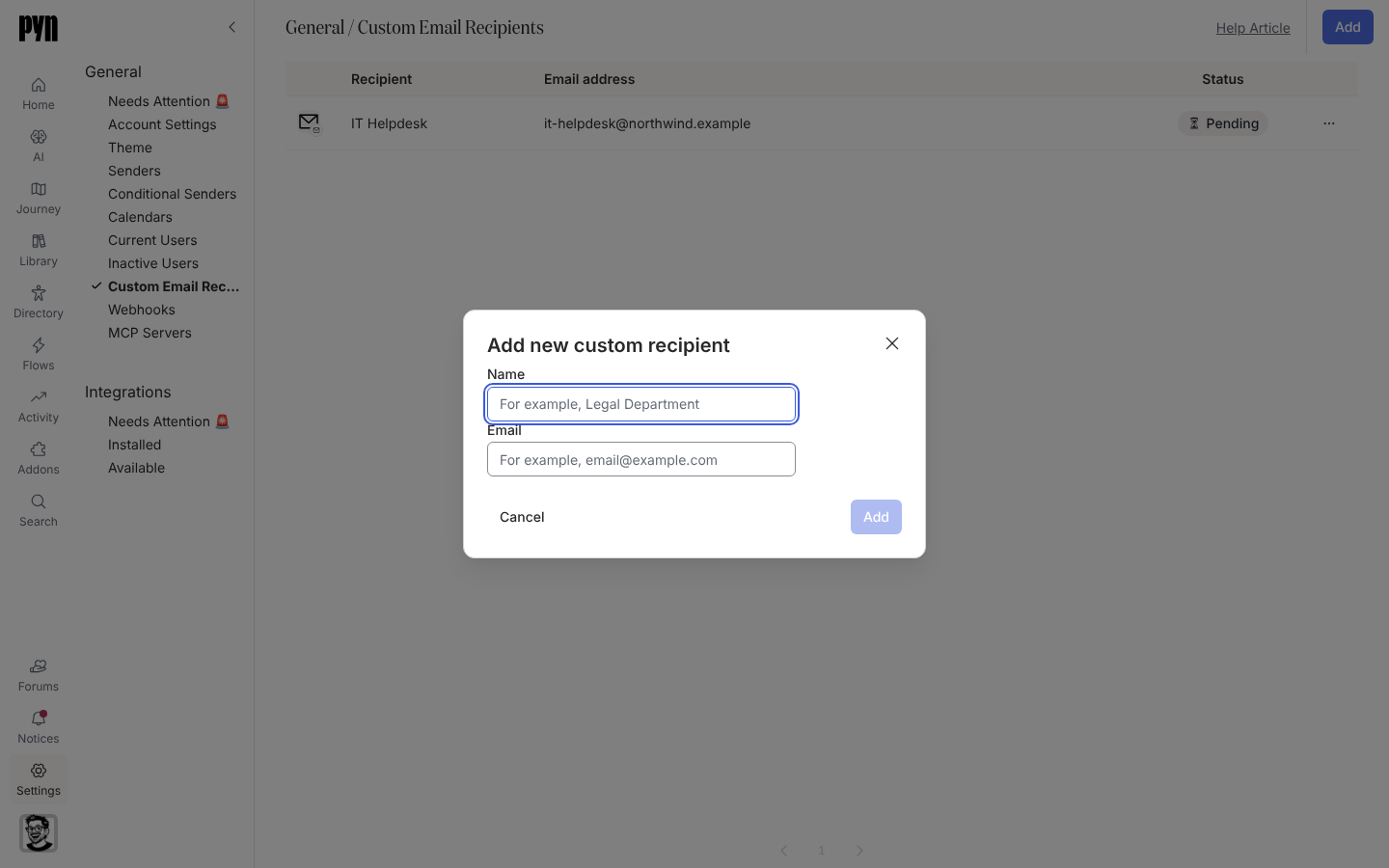
选择 Add。Add new custom recipient 对话框打开。
-
输入 Name(例如“Legal Department”)和 Email。选择 Add。如果无法添加收件人,会有一条提示显示 Could not add this recipient,对话框保持打开并保留你输入的内容。
-
收件人的面板打开,显示“This recipient email address has not been verified.” 选择 Send Verification Email;提示变为“Verification email sent! Check your inbox and click the link to verify.”
-
请收件箱的所有者打开来自
Pyn <notifications@pynhq.com>的电子邮件并确认链接。 -
如果按收件人时区排期的步骤应为这个地址使用特定时区,在面板中设置 Time Zone。
你应该看到什么
Section titled “你应该看到什么”该行的状态从 Pending 变为 Active,面板的 Verified 字段显示 true。在自动化流程中打开一个电子邮件步骤:该收件人出现在收件人列表和 Cc 中。如果链接没有送达,检查垃圾邮件和共享收件箱的筛选规则,然后用 … 菜单中的 Send Verification Email 发送一个新的。
- 自定义电子邮件收件人,了解状态和时区字段。
- 自动化流程,在步骤上抄送该收件人。
- 添加电子邮件发件人,适用于该地址应该用来发送的情况。