
跳转到内容
PynPyn

退出登录

你要离开一台共用电脑,或者想以另一个人的身份登录。退出登录会在 Pyn 的服务器和浏览器中结束你的会话;下次访问从登录页面开始。
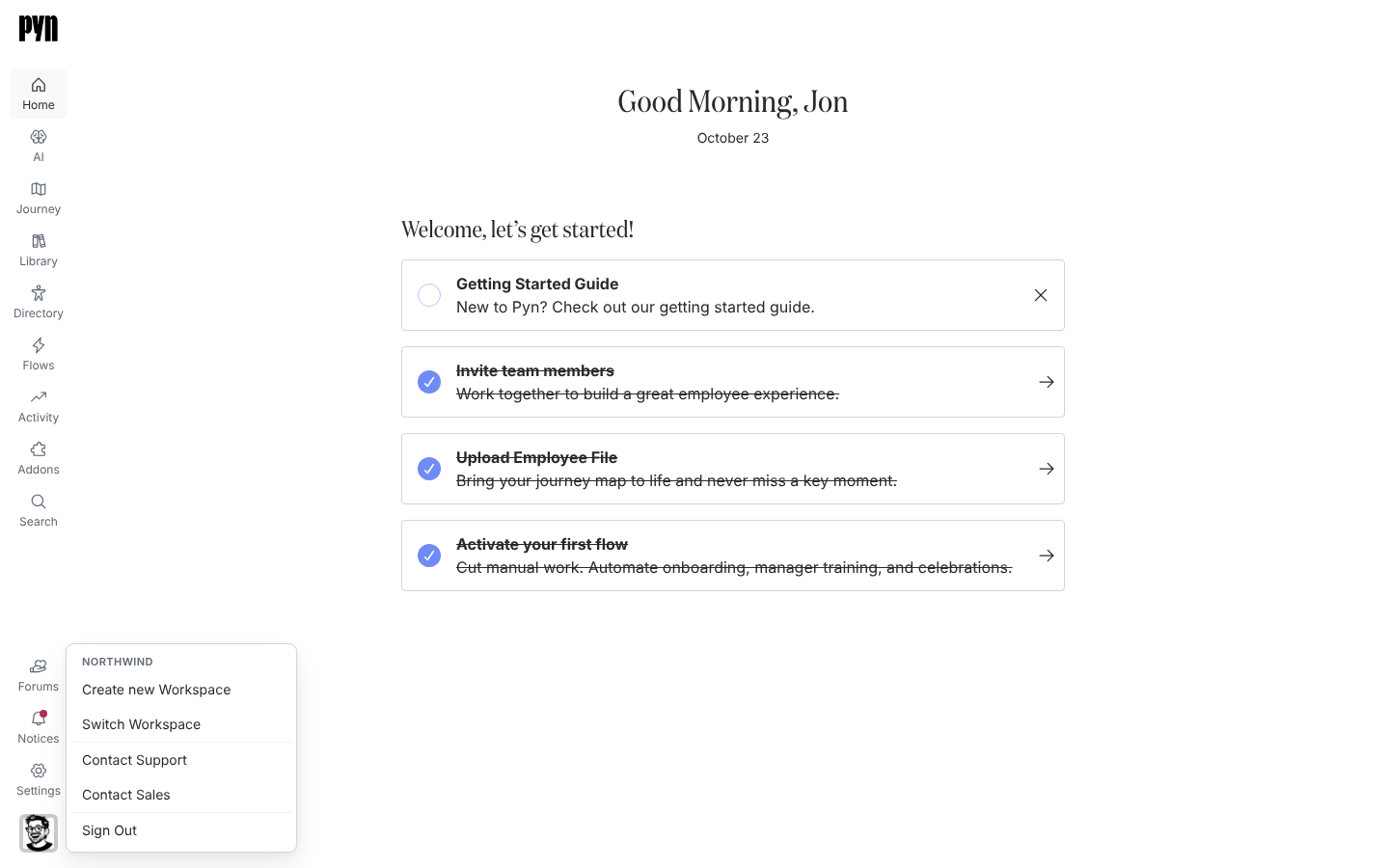
The profile menu open above the avatar in the bottom-left corner, headed Northwind, listing Create new Workspace, Switch Workspace, Contact Support, Contact Sales, What's New and Sign Out, with the Theme row below them: sun, moon and monitor buttons for Light, Dark and System.
The profile menu: the workspace name, workspace, support and sign-out options, then the Theme icons.
  1. 在 Pyn 中,选择左侧导航底部的头像。该按钮对屏幕阅读器的标签是 Open profile。

  2. 在菜单中,选择最后一项 Sign Out。

  3. 在 Signing Out… 屏幕上等待 Pyn 清除会话。

登录页面,标题为 See you again soon,并带有一行 “You have successfully signed out.”。从任何页面直接打开 https://app.pyn.ai/sign-out 的效果相同,它适合作为书签,或放进公司的离职清单。

  • 个人资料,了解个人资料菜单中的其他项。
  • 登录,了解会话如何开始以及持续多久。