

员工群组
自动化流程的受众由群组构成:包含这些,排除那些。Pyn 为每个工作区提供一组起始群组,每个部门、每个地点等各一个,并允许你添加自己的群组。成员资格由 Pyn 随员工数据的变化而评估,所以你去年创建的群组仍然表示它当初的含义。
| 类型 | 成员 | 创建方式 |
|---|---|---|
| Demographic | 某个属性具有某一个值的所有人:Department 为 Engineering。 | 创建人口统计属性;Pyn 为每个值生成一个群组。 |
| Lifecycle | 临近某个日期的所有人:未来 8 天内过生日、入职后的前 90 天。 | Create > Lifecycle;Birthday 和 Onboarding 从一开始就存在。 |
| Filter | 匹配某个受众的所有人:生命周期阶段加上包含和排除的群组。 | Create > Filter。 |
| Relationship | 有或没有经理、伙伴、导师、HRBP 或 Slack 账号的所有人,或者本人是经理、伙伴、导师或 HRBP 的所有人。 | Create > Relationship。 |
| Static | 你添加的人。 | Create > Static。 |
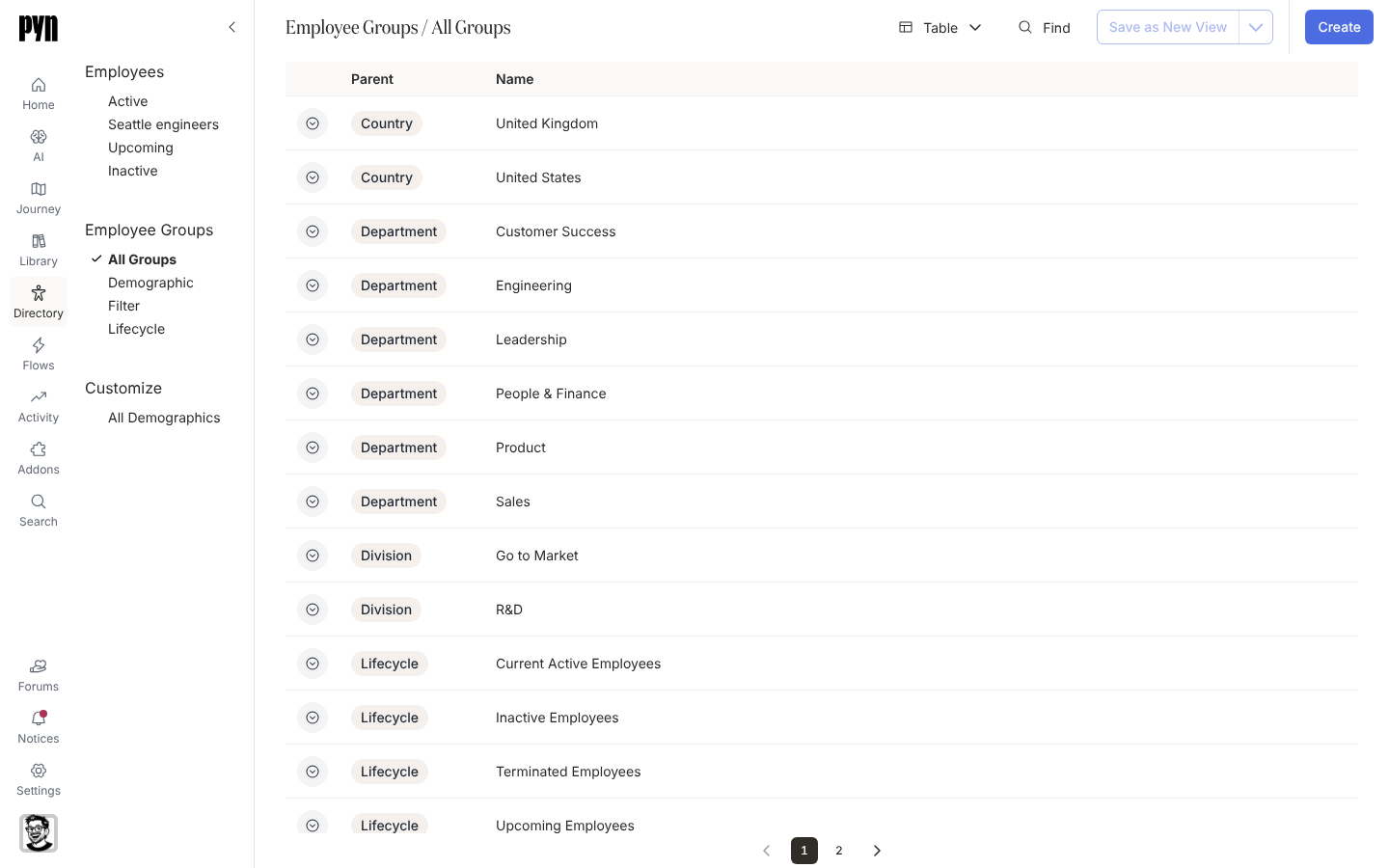
表格显示类型图标、Parent 人口统计属性(对人口统计群组而言)和 Name。Demographic、Lifecycle、Filter、Static 和 Relationship 视图各显示一种类型。选择一个群组打开它的面板,其中有 Group Employees:、该标题旁边一个把成员下载为 CSV 的导出按钮,对筛选群组还有一个显示其受众的 Configure 标签页。生命周期群组的面板还显示它的 Date Property、Days Before 和 Days After。
你可以在这里做什么
Section titled “你可以在这里做什么”- 创建筛选群组,保存一个受众。
- 创建静态群组,从姓名、粘贴的电子邮件或文件创建,之后可以重命名它或更改它的成员。
- 创建关系群组,例如所有没有伙伴或没有 Slack 账号的人。
- 创建生命周期群组,例如所有在未来两周内入职的人。
- 创建人口统计属性,为某个属性的每个值得到一个群组。
- 导出群组的员工,把群组的成员导出为包含姓名、电子邮件、职位、部门和入职日期的 CSV。
- 群组类型列出每个工作区一开始就有的群组,以及每种类型如何决定其成员。
- 受众如何匹配解释包含的群组如何组合:同一父级下的任意一个,不同父级下的全部。
在应用中的位置
Section titled “在应用中的位置”打开左侧导航中的 Directory,选择 Employee Groups 下的 All Groups。右上角的 Create 打开 Create Employee Group。群组在右侧的面板中打开;导航中的 Search 也能按名称找到任何群组。