

对 Flows 列表排序
默认情况下,表格遵循你的旅程地图:类别和时刻按地图顺序排列,同一时刻内按 Verification、Manual、Automated、Inactive 的模式顺序排列。其他排序方式在你做整理时很有用,例如把所有有未发布更改的自动化流程排到最前面。
-
在 Pyn 中,打开左侧导航中的 Flows,然后打开 Automations。
-
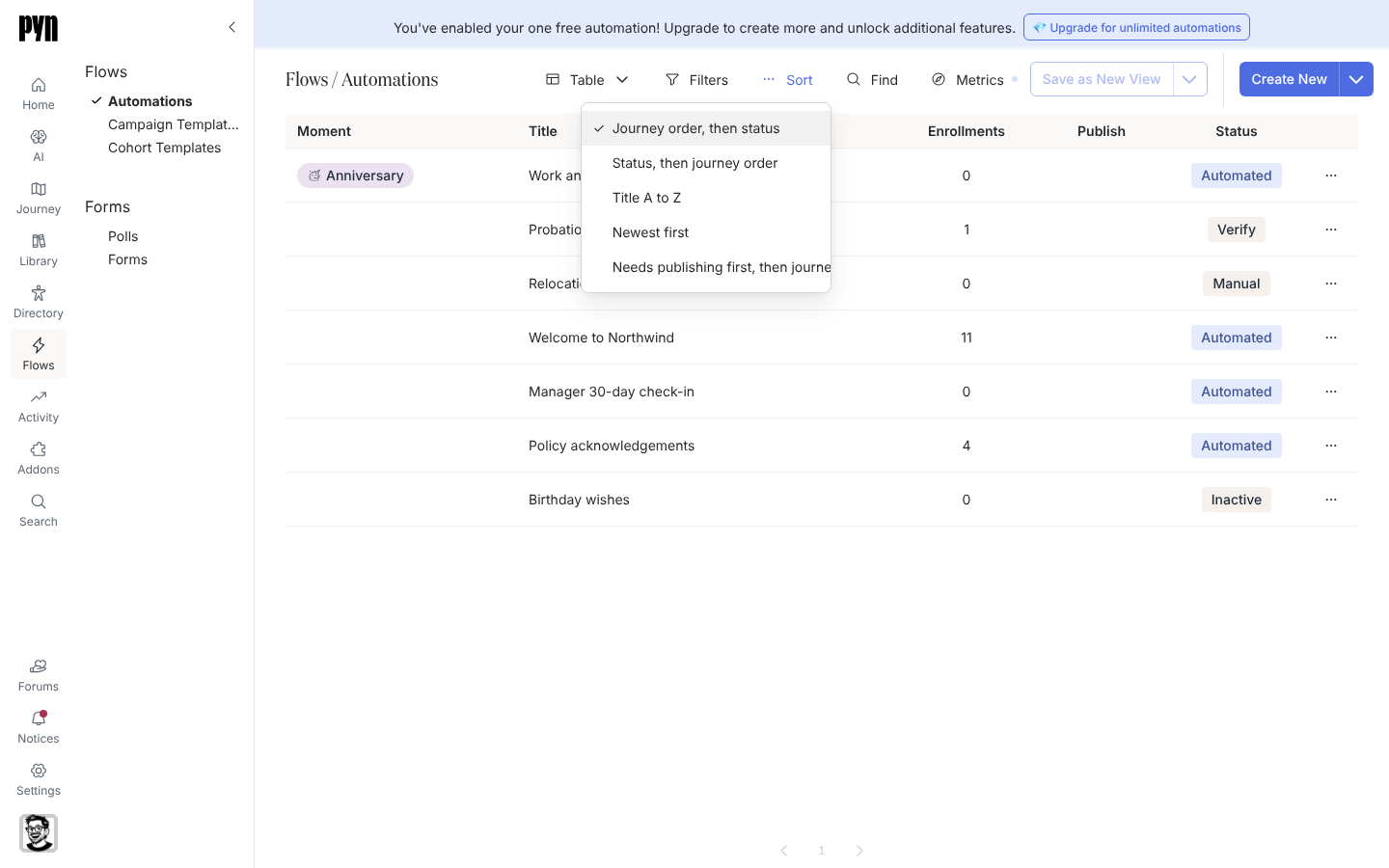
选择表格上方工具栏中的 Sort。
-
选择 Journey order, then status、Status, then journey order、Title A to Z、Newest first 或 Needs publishing first, then journey order。
你应该看到什么
Section titled “你应该看到什么”行会立即重新排列。这个选择会一直保持到你重新加载或离开页面为止;之后表格会回到旅程顺序。用同一工具栏中的 Filters 和 Find 收窄行的范围,用 Metrics 为 Enrollments 列挑选日期范围(默认是最近 30 天),该列统计这段时间内的注册数,并排除测试注册。
- 导出 Flows 列表,把表格导出到电子表格。
- 将自动化流程分配到时刻,更改某一行在旅程顺序中的位置。
- 发布自动化流程,让某一行不再属于“Needs publishing”。