

将自动化流程分配到时刻
每个自动化流程都可以属于旅程地图上的一个时刻,例如 Pre-onboarding 或 First day。Automations 表格按地图顺序以时刻对行分组,地图上该时刻的面板会列出它的流程,所以分配时刻就是让这两个视图保持一致的方式。
- 该时刻已存在于你的旅程地图上。从目录添加的模板在添加时就已附加到各自的时刻上。
-
在 Pyn 中,打开左侧导航中的 Flows,然后打开 Automations。
-
打开行右侧的 … 菜单,选择 Assign Moment,然后在子菜单中选择一个时刻。
-
在编辑器内也可以这样做:在右侧栏选择 Details,然后在 Moment 下选择 Select a moment 并选择一个。
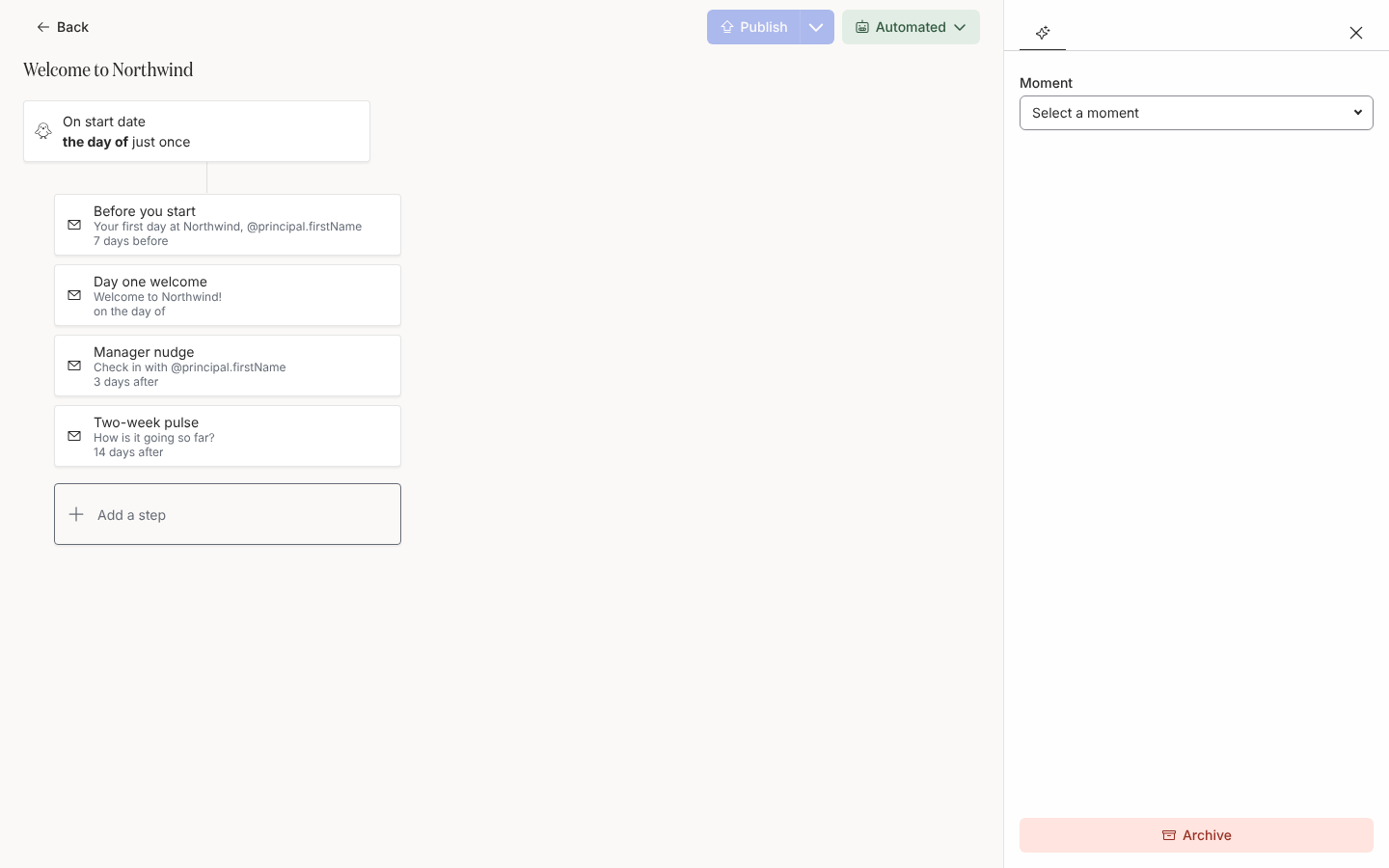
Details holds the automation's moment on the journey map.
你应该看到什么
Section titled “你应该看到什么”该行移到表格中该时刻的标题下,表格按旅程类别和时刻排序。在 Journey 上,该时刻的面板在其 Flows 标签页中列出该自动化流程。
- 旅程,了解类别和时刻。
- 对 Flows 列表排序,了解其他排序方式。
- 创建自动化流程,了解自带时刻的模板。