

选择哪些通知以电子邮件发送
没有人会每小时查看 Notices。三个设置把最重要的通知也发到管理员的收件箱,这样一封被退回的欢迎邮件或一个过期的 Slack 令牌当天就能被看到。
- 你是工作区的管理员或所有者。其他角色看不到齿轮按钮。
-
在 Pyn 中,打开左侧导航中的 Notices。
-
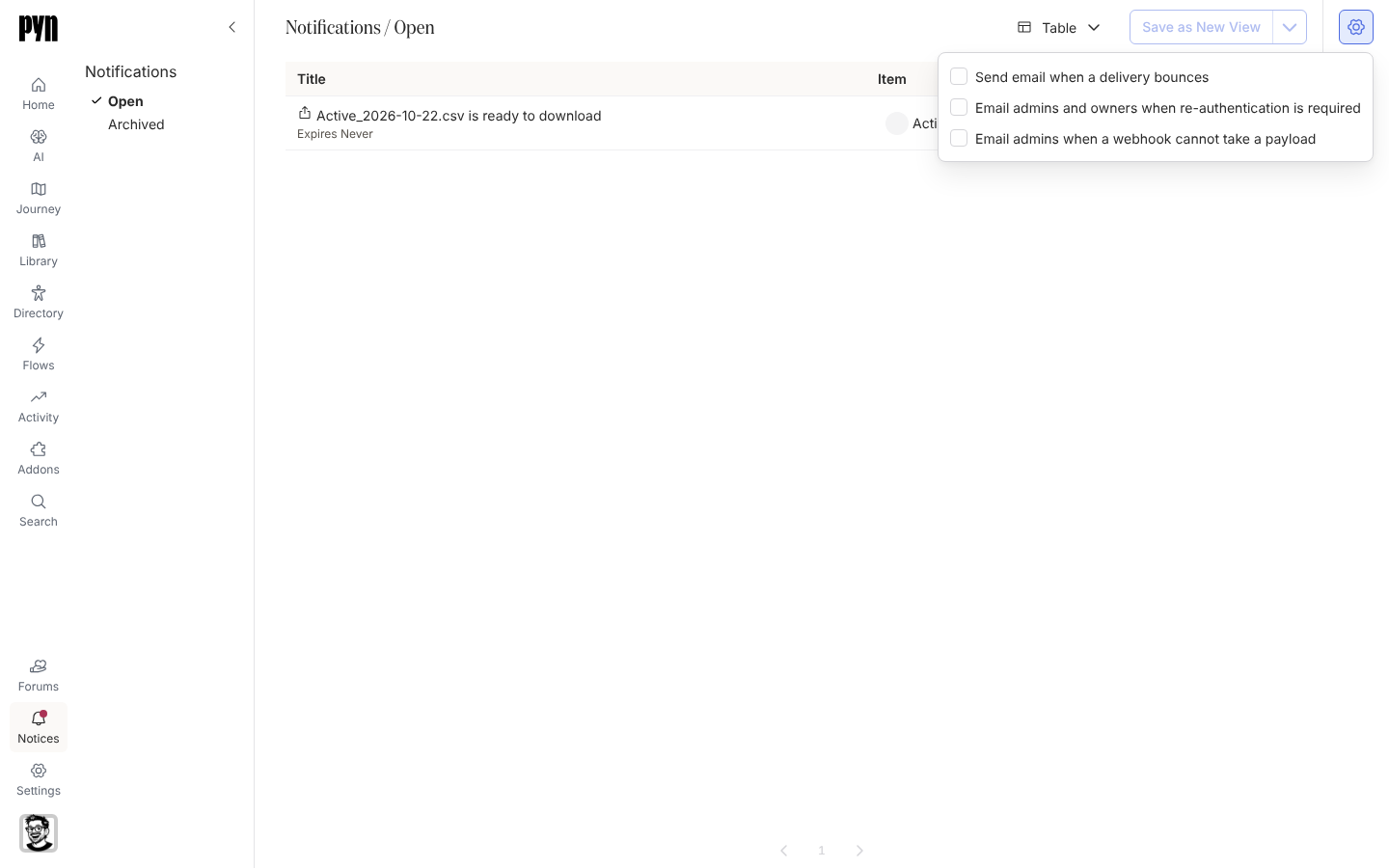
选择视图右上角的齿轮按钮。
-
勾选你想要的电子邮件:Send email when a delivery bounces、Email admins and owners when re-authentication is required、Email admins when a webhook cannot take a payload。每一项在你勾选时即保存。如果某一项无法保存,会有一条提示显示 Could not save this setting,复选框保持原样。
-
选择弹出框以外的任意位置将其关闭。
你应该看到什么
Section titled “你应该看到什么”下一条匹配的通知会以来自 Pyn <notifications@pynhq.com> 的电子邮件送达,主题是通知的标题,并带有一个在 Pyn 中打开该通知的链接。这些设置适用于整个工作区,而不只是你自己。